Friday, May 13, 2011

Hongkiat.com: Marvelous Planet Earth and Space Wallpapers

Hongkiat.com: Marvelous Planet Earth and Space Wallpapers


Marvelous Planet Earth and Space Wallpapers

Posted: 13 May 2011 06:17 AM PDT

Space and planets has fascinated us as far back in our history. Ever since humans first gathered in groups, space has became a subject of research of great deities till unknown aliens. Even today, thousands of years later, we’re still retain a fascination with the mysterious universe, though for different reasons.

earth and space wallpapers Marvelous Planet Earth and Space Wallpapers

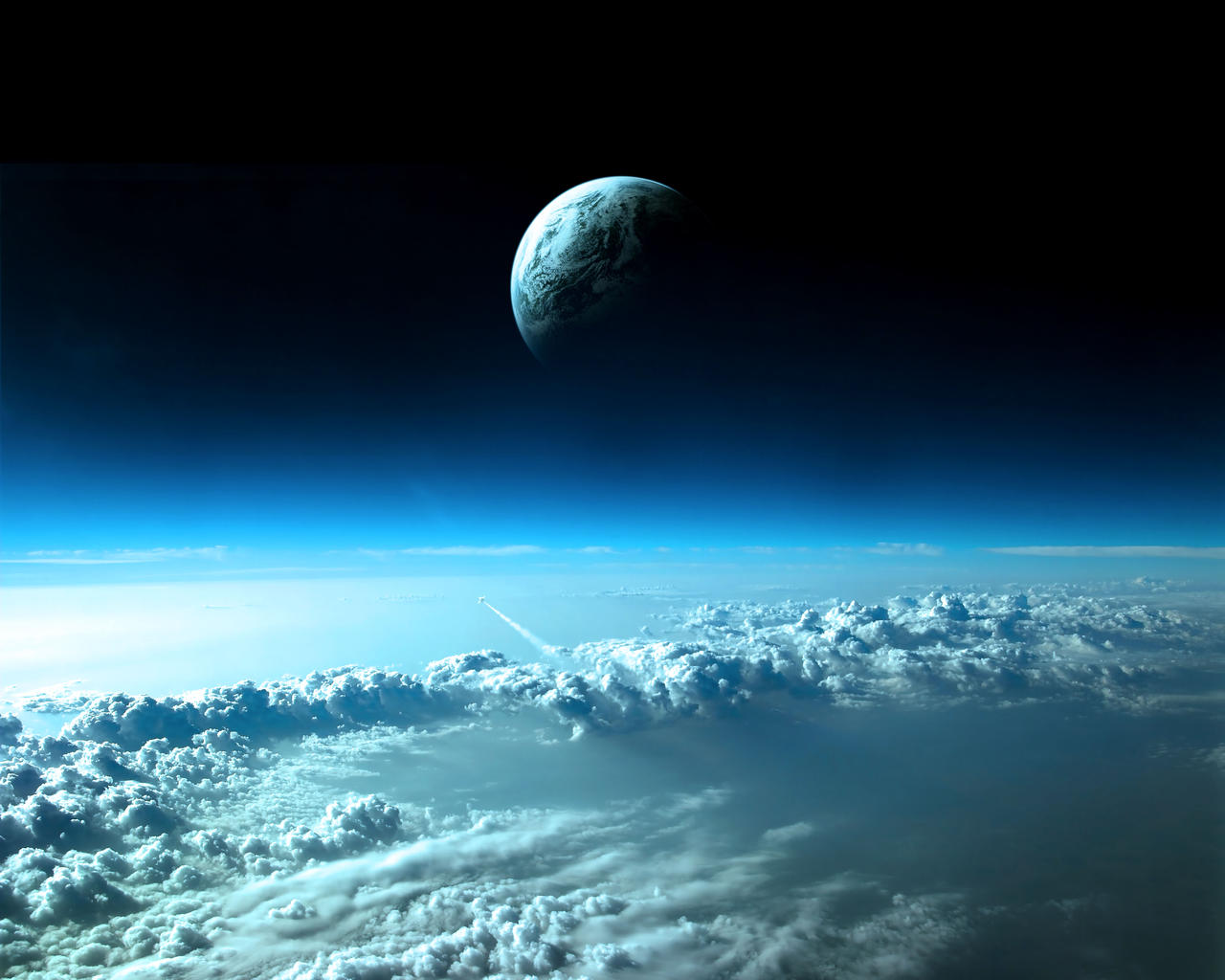
In despite of dark and enigmatic, space and planets can be very beautiful and attractive with outstanding compositions. We love to enjoy the fantastic masterpiece of space and we think you might love it too. Thus, we’ve hand picked 30+ absolutely stunning space and planets wallpapers to spice up your desktop. Full list after jump.

More: Click here for more Space and Planet wallpapers.

Planet Earth

Unity. Beautiful earth wallpaper with a Ying-Yang concept. Wallpaper comes in pack. Available in the following sizes: 1920×1536, 2048×1536, 2560×1024, 2560×1440, 2560×1600, 5120×1920. Download pack.
Unity Marvelous Planet Earth and Space Wallpapers

Cloud III. An imaginary view of another time and place. Available only in 1280×1024.
cloud 3 Marvelous Planet Earth and Space Wallpapers

Big Brother. Detailed planet and space scene by Tibro. Another awesome wallpaper. Comes in pack, available in following sizes: 800×600, 1024×768, 1200×960 and 1600×1200. Download pack.
big brother Marvelous Planet Earth and Space Wallpapers

Western Hemisphere. Amazing composition, especially the coment, moon and the glow of planet. Wallpaper available in following sizes: 1280×960 and 1600×1200.
western hemisphere Marvelous Planet Earth and Space Wallpapers

Tau 31. Beautiful earth scene with a sun. Wallpaper available in the following size: 1280×1024.
tau 31 Marvelous Planet Earth and Space Wallpapers

Eon. Awesome creation showing a sunrise from space. Wallpaper comes in a single zip pack. Available in following sizes: 1024×768, 1280×1024, 1600×1200, 1920×1200 and 2560×1024. Download zip pack.
eon Marvelous Planet Earth and Space Wallpapers

Space. Dark and simple space wallpaper by Sandra. Wallpaper available in the following size: 2480×1932.
space Marvelous Planet Earth and Space Wallpapers

Push the Button. Nice digital art of streak of light from the earth. The glow and all the dark blue and black really make this one for me. Wallpaper comes in zip pack. Available in following sizes: 648×480, 800×600, 960×600, 1024×768, 1152×864, 1280×800, 1280×960, 1344×1008, 1400×1050, 1440×900, 1600×1000, 1600×1200, 1680×1050, 1920×1200 and 2048×1536. Download zip pack.
push the button Marvelous Planet Earth and Space Wallpapers

Polaris: Southern Lights. The detail of the planet’s texture is simply perfect and flawless. Magical lightnings and magnetic spectacle in this master piece are just truly awesome. Wallpaper comes in pack. Avaialble sizes are: 1024×768, 1280×720, 1280×800, 1280×960, 1280×1024, 1440×810, 1440×900, 1600×900, 1600×1200, 1680×1050, 1920×1080 and 1920×1200. Download pack.
polaris southern lights Marvelous Planet Earth and Space Wallpapers

Planet Earth. The Earth with night lights. Simple but fantastic. Wallpaper only available at the size of: 1280×1024.
planet earth Marvelous Planet Earth and Space Wallpapers

Planet Wallpaper. High quality and impressive planet wallpaper of earth. Wallpaper comes in pack with following sizes: 800×600, 1024×768, 1152×864 and 1280×1024. Download pack.
planet wallpaper Marvelous Planet Earth and Space Wallpapers

Earth with Hot Star. Awesome planet texture, a hot star and amazing background. This is one classic space art piece with nice attention to details. Wallpaper available in the following size: 1440×900.
earth with hot star Marvelous Planet Earth and Space Wallpapers

Earth Wallpaper. Stunning night scene of earth from space. Wallpaper available in the following size: 1920×1080.
earth wallpaper Marvelous Planet Earth and Space Wallpapers

Earth, Nebulae, Planets, Space, Stars, Sunrises. Colourful master piece of space and earth. Wallpaper available in following sizes: 1600×1200, 1400×1050, 1365×1024, 1280×960, 1152×864, 1024×768, 1280×1024, 1920×1200, 1680×1050, 1600×1000, 1440×900 and 1280×800.
earth space Marvelous Planet Earth and Space Wallpapers

Space, and Other Planets

Grand Universe. An awesome wallpaper of andromeda galaxy collides with our Milky Way galaxy. Wallpaper available in the following size: 1280×688
grand universe Marvelous Planet Earth and Space Wallpapers

Charisma. A beautiful and colourful black hole. Comes in a wallpaper pack, sizes include: 1280×800, 1440 ×900, 1680×1050 and 1920×1200. Download pack.
charisma Marvelous Planet Earth and Space Wallpapers

E2 Galaxy Wallpaper. Outstanding wallpaper with flares and the planets’ atmosphere. Available in the following size: 1920×1080.
e2 galaxy wallpaper Marvelous Planet Earth and Space Wallpapers

Loca Infernorum. Awesome planetary explosions wallpaper with realistic fragmentation. Wallpaper comes in pack. Available in following sizes: 1024×768, 1280×1024 and 1600×1200. Download pack.
loca infernorum Marvelous Planet Earth and Space Wallpapers

Moment in Space XCVI. Absolutely amazing galaxy wallpaper for your desktop. Wallpapers comes in a single pack. Available sizes are: 1024×768, 1152×864, 1280×960, 1280×1024, 1400×1050, 1600×1200 and widescreen version. Download pack.
moment in space xcvi Marvelous Planet Earth and Space Wallpapers

Galactic Segregation. A little system has since the dawn of times been drifting farther and farther away from its parent galaxy. Wallpaper only available at the size of: 1600×1600.
galactic segregation Marvelous Planet Earth and Space Wallpapers

Red Sun. Stunning wallpaper of asteroids heading to a planet. Available in the following size: 1920×1200.
red sun Marvelous Planet Earth and Space Wallpapers

Space Art. Breathtaking space wallpaper with nebula, planet and galaxy. Available in the following size: 1024×768.
space art Marvelous Planet Earth and Space Wallpapers

Light My Home. Beautiful wallpaper with close-up planet as the gas giant’s moon. Wallpaper comes in pack. Available in following sizes: 1280×800, 1400×875, 1600×1000 and 1920×1200. Download pack.
light my home Marvelous Planet Earth and Space Wallpapers

Tamino. A really wonderful piece of galaxy wallpaper. Available in the following size: 1600×1200.
tamino Marvelous Planet Earth and Space Wallpapers

Planet Gold Mine. A fantastic world with amazing colors. Wallpaper comes in pack. Available in the following size: 1440×900.
planet gold mine Marvelous Planet Earth and Space Wallpapers

Polaris. A detailed sci-fi wallpaper, and the color scheme is gorgeous. Available in following size: 1600×1200.
polaris Marvelous Planet Earth and Space Wallpapers

Sci Fi – Space Wallpaper. Awesome purple nebula wallpaper. Available in various sizes from 50×50 all the way to 2560×1600. Click here for more.
sci fi space Marvelous Planet Earth and Space Wallpapers

The Rise of a Planet. A superb atmospheric piece by taenaron, the rising planet gives the image an enormous sense of scale and scope. Wallpaper comes in zip. Available in following sizes: 1024×768, 1280×1024, 1600×1200, 1440×900 and 1920×1200. Download zip pack.
the rise of a planet Marvelous Planet Earth and Space Wallpapers

Morning Dew. By thiagochackal. Absolutely wonderful! Wallpaper comes in pack. Available in following sizes: 320×480, 768×1024, 1920×1080, 1920×1536, 2048×1536, 2560×1600 and 2560×1440. Download pack.
morning dew Marvelous Planet Earth and Space Wallpapers

Lagoon Nebula N10. Available in following sizes: 320×480, 775×450, 1024×768, 1280×720, 1280×800, 1280×960, 1280×1024, 1366×768, 1400×1050, 1440×900, 1600×1200 and 1920×1200.
lagoon nebula n10 Marvelous Planet Earth and Space Wallpapers

Horsehead Nebula. Stunning nebula wallpaper! Wallpaper available in various sizes, click here for more.
horsehead nebula Marvelous Planet Earth and Space Wallpapers

Sci Fi – Planets Wallpaper. Fantastic sci-fi planets wallpaper. Wallpaper available in various sizes, click here for more.
sci fi planet Marvelous Planet Earth and Space Wallpapers


Advertise here with BSA

Wednesday, May 11, 2011

Hongkiat.com: 36 Epic Looking Sci-fi Artworks

Hongkiat.com: 36 Epic Looking Sci-fi Artworks


36 Epic Looking Sci-fi Artworks

Posted: 11 May 2011 06:57 AM PDT

What does it take to come up with an epic and unbeatable Sci-fi Artworks? When it comes to science fiction, it should bombard your eyes with extremely sublime and striking graphic, grabbing your attention within milliseconds but that alone can’t determine its success. A great Sci-fi artwork, can make you dwell into the world that is illustrated by the author, visually and emotionally experience the journey of action and adventure that have been prepared for you.

sci fi artwork 36 Epic Looking Sci fi Artworks

With such great work, you will be dragged into its dimension, wanting for more. As you may expect, for your dose of inspiration we have collected 36 exceptional appealing science fiction artworks that may give spark for your new project! If not, just stay with us and browse through these epic artworks! Keep scrolling down!

Andree Wallin

Andree Wallin started his commissioned work since 2006 and was able to embrace his profession as a full time job in 2008. Since then, he worked as matte painter and concept artist for many well known titles like Dirt 3, Oblivion and DJ Hero.

Big Robots

big robots 36 Epic Looking Sci fi Artworks

Deep Impact

deep impact 36 Epic Looking Sci fi Artworks

Downtown

downtown 36 Epic Looking Sci fi Artworks

Office Bot

office bot 36 Epic Looking Sci fi Artworks

Futuristic Ghetto

futuristic ghetto 36 Epic Looking Sci fi Artworks

Searching

searching 36 Epic Looking Sci fi Artworks

Searching 2

searching 2 36 Epic Looking Sci fi Artworks

You And Me

you and me 36 Epic Looking Sci fi Artworks

Angel Alonso

Dedicated to the production of 2D and 3D animation for 25 years, Angel Alonso have involved in concept design, storyboarding, matte painting, digital painting, animation and digital special effect’s creation. His works consist of mostly 3D artworks which are created by Photoshop, 3ds Max and ZBrush.

Witch of Thought

witch of thought 36 Epic Looking Sci fi Artworks

Camille Kuo

Camille Kuo is a talented Taiwanese artist who prefers realistic and somehow creepy productions. She uses Photoshop, Painter, PaintBBS and PaintChat as her main tools to produce brilliant artworks.

Silent Threat

silent threat 36 Epic Looking Sci fi Artworks

Clinton Felker

While doing matte painting and storyboarding, Clinton Felker is also a traditional painter who always try to keep himself fresh from the digital environment he is living. Photoshop is the main tool he uses to create his fascinating artworks.

Baboy Robot

baboy robot 36 Epic Looking Sci fi Artworks

Dan Luvisi

Since he answered his calling of digital concept artist, Dan Luvisi has worked for big players like DC Comics, Universal and Microsoft. He is known for his extremely unique and sensational style in his illustration approach, which can be witnessed in following superior artworks.

LMS Gabriel Unloaded

lms gabriel unloaded 36 Epic Looking Sci fi Artworks

LMS Hex

lms hex 36 Epic Looking Sci fi Artworks

LMS Judge

lms judge 36 Epic Looking Sci fi Artworks

LMS Ro And Gizmo

lms ro and gizmo 36 Epic Looking Sci fi Artworks

Daniel Conway

‘Daniel Conway’s artwork is instantly recognisable. His vibrant colours and sci-fi scenes are breathtaking at times, pulling you into a world where man and machine live in colourful harmony.’ – Deviousness Award

Forget Me Not

forget me not 36 Epic Looking Sci fi Artworks

My Red Tie

my red tie 36 Epic Looking Sci fi Artworks

Geoffroy Thoorens

Nicknamed ‘Djahal’, Geoffroy Thoorens has produced many excellent artworks as well as tutorials and brushes. His work reaches from video game to movie, and his drawings have been featured in highly educational book like Digital Painting Techniques.

Vernoa

vernoa 36 Epic Looking Sci fi Artworks

Jessada Sutthi

Jessada Sutthi is a Thailand based illustrator who produced concept art and matte painting for TV animations and advertisement. He prefers mechanical and fantasy art and his tools of the trade are 2B Pencil, Photoshop and Wacom Intuos 03.

Dead Space 2

dead space 2 36 Epic Looking Sci fi Artworks

Lin Chen

Unlike other artist, Lin Chen does not provide much information about himself, but his artworks, particularly science fiction artworks are stunning enough to be called as professional production, and these works have brought him over 168 thousand views with only 78 artworks in his Deviant page.

Space Jump

space jump 36 Epic Looking Sci fi Artworks

Maciej Rebisz

Maciej Rebisz is a concept artist who greatly explores space and science fiction art with detail in mind. He’s also currently maintaining an architectural blog named ArchiDOOM, which archives architectural designs that are powered by doom and coffee.

Big Buddha

big buddha 36 Epic Looking Sci fi Artworks

Marek Okon

As a passionate professional who considers painting as a great faction of his life, Marek Okon has raised his skills by self teaching, which is quite unbelievable if you look at his impressive artworks. His passon also leads him to professional work which creates high quality illustrations for promotion and advertising use. His favorite tools are Photoshop, Autodesk 3ds Max and Pixologic Zbrush.

Age of Ra

age of ra 36 Epic Looking Sci fi Artworks

Age of Zeus

age of zeus 36 Epic Looking Sci fi Artworks

Escape From Neon City

escape from neoncity 36 Epic Looking Sci fi Artworks

Hostile Takeover

hostile takeover 36 Epic Looking Sci fi Artworks

Shrapnel

shrapnel 36 Epic Looking Sci fi Artworks

Sins of Neoncity

sins of neoncity 36 Epic Looking Sci fi Artworks

Markus Vogt

After learning illustration programs, Markus Vogt become interested with incredible possibilities and power of 3D modeling, animation and rendering packages, and they are in his field of focus now. His artworks have been featured in well-known graphic magazines like 3D World, 3dArtist, and Advanced Photoshop as well. His production toolbox contains Cinema 4D, ZBrush, Vue, Bryce, Poser, and 3d Coat.

Force Landing

rocket spaceship 36 Epic Looking Sci fi Artworks

Marta de Andres

Currently working as a freelancer, Marta de Andres specializes in concept art, digital illustration, landscape matte painting, and photo manipulation. Her skill set has enabled her to embark herself in a variety of projects from musical album covers to background illustrations amongst many others.

Spaceship Skycity

skycity 36 Epic Looking Sci fi Artworks

Paul Chadeisson

Paul Chadeisson is a concept artist at Dontnod Entertainment, a video game based company in Paris. His gorgeous works have been published in the magazine, Science Illustrated Magazine, and books like Landau Du Rat.

Science Beta Openinge

science beta opening 36 Epic Looking Sci fi Artworks

Pene Menn

Received CG Talk Choice Award and CG Land Flower Award for 9 times each, Pene Menn offers his service as a concept artist, matte painter and art director for big players like NCSoft. He also created a course called ‘Pene School’ which teaches and shares his illustration skills to the world.

Runaway 2

runaway2 36 Epic Looking Sci fi Artworks

Rado Javor

Different with most artists featured here, Rado Javor has great interest and talent on painting classical object like medieval ship or old airplane. However, he has extended his skill by blending the classical taste into science fiction art, which you can observe from following Warhammer based artworks he carved out using Photoshop.

Space Marines

space marines 36 Epic Looking Sci fi Artworks

Titan

titan 36 Epic Looking Sci fi Artworks

Robin Olausson

As most dreamers do, Robin Olausson quitted his university and started his art education while working part time in factory. His very hard effort has later leads him into creating impressive artworks which are eventually featured in professional magazine 2D Artist.

Holyshit

holyshit 36 Epic Looking Sci fi Artworks

In the Mists of Vegas

in the mists of vegas 36 Epic Looking Sci fi Artworks

The Law 2012

the law 2012 36 Epic Looking Sci fi Artworks


Advertise here with BSA

Tuesday, May 10, 2011

Hongkiat.com: Howto: Integrate Facebook Open Graph With WordPress

Hongkiat.com: Howto: Integrate Facebook Open Graph With WordPress


Howto: Integrate Facebook Open Graph With WordPress

Posted: 10 May 2011 07:37 AM PDT

Facebook Open Graph protocol allows you to share your blog content not only with your readers, but their Facebook friends as well. The best part is – whenever someone liked your content(s), it will be published on their Facebook profile. But that’s not all, Open Graph allows you to explore more interesting ways to interact and engage with your readers. Ultimately – if this is done right – it builds up your brand and increases your site’s traffic.

open graph protocol Howto: Integrate Facebook Open Graph With Wordpress

In today’s post, we are going to look into how to integrate Facebook Open Graph with a self-hosted WordPress in a detailed step-by-step guide. It will require editing your existing WordPress theme and creating a Facebook application (if you don’t have one).

Ready? Let’s fire up the browser and your favourite code editor. Full guide after jump.

Step 1: Create a facebook App

We’ll need an Application ID and to get that, you’ll need to create a Facebook App. If you already have a one, move on to step 2.

Creating an application is easy, here’s what you do:

  1. Logon to Facebook, go to the Developer’s page.
  2. Click "Set up a new app" button on the top right corner.
  3. Give a name to your new app, agree to Facebook terms, hit Create app.
    create fb app step 03 Howto: Integrate Facebook Open Graph With Wordpress
  4. Go to Web Site tab, fill up Site URL and Site Domain.
  5. Note down the value of Application ID somewhere and hit the "Save Changes" button.
    create fb app step 05 Howto: Integrate Facebook Open Graph With Wordpress

That’s all! You can always come back later to fill up the rest of the information.

Step 2: Replace <HTML> Tag

Open up your theme’s header file (header.php) in your favorite editor. Always keep a backup copy just in case anything goes wrong.

Look for this following line of code, or one that starts with <html xmlns="http://www.w3.org/…

<html xmlns="http://www.w3.org/1999/xhtml" <?php language_attributes(); ?>>

Replace it with:

<html xmlns="http://www.w3.org/1999/xhtml" xmlns:og="http://ogp.me/ns#" xmlns:fb="https://www.facebook.com/2008/fbml">

Keep header.php open, we are going to need it for the 3rd step.

Step 3: Insert OG <Meta> tags

Paste the following code right after <head> tag, or before </head> tag.

<?php if (have_posts()):while(have_posts()):the_post(); endwhile; endif;?> <!-- the default values --> <meta property="fb:app_id" content="your_fb_app_id" /> <meta property="fb:admins" content="your_fb_admin_id" />  <!-- if page is content page --> <?php if (is_single()) { ?> <meta property="og:url" content="<?php the_permalink() ?>"/> <meta property="og:title" content="<?php single_post_title(''); ?>" /> <meta property="og:description" content="<?php echo strip_tags(get_the_excerpt($post->ID)); ?>" /> <meta property="og:type" content="article" /> <meta property="og:image" content="<?php if (function_exists('wp_get_attachment_thumb_url')) {echo wp_get_attachment_thumb_url(get_post_thumbnail_id($post->ID)); }?>" />  <!-- if page is others --> <?php } else { ?> <meta property="og:site_name" content="<?php bloginfo('name'); ?>" /> <meta property="og:description" content="<?php bloginfo('description'); ?>" /> <meta property="og:type" content="website" /> <meta property="og:image" content="logo.jpg" /> <?php } ?>

Here are some of the the values you’ll need to alter:

  • Line 3: Replace your_fb_app_id with the Application ID from Step 1.
  • Line 4: You can get your_fb_admin_id under your Facebook Insights page, (More info). Click on the "Insight for your website" green button, grab the entire string of code and replace Line 4.
  • Line 12: This line determines the image that represents your post. If your theme supports WordPress Post Thumbnails, it should work fine. But if it doesn’t, it will fail gracefully without an image. Check out Step 3a for an alternative workaround.
  • Line 19: Replace logo.jpg with an url to your blog’s logo. It will be displayed when a non-post page on your blog is shared on Facebook.

Step 3a – When "wp_get_attachment_thumb_url" Fail

When wp_get_attachment_thumb_url() failed to work, you are likely going to a content attribute with no value, like what’s shown below:

<meta property="og:image" content="" />

A simple workaround will be to replace Line 12 with the following code:

<meta property="og:image" content="<?php if (function_exists('catch_that_image')) {echo catch_that_image(); }?>" />

Next, open up functions.php and insert the following code:

function catch_that_image() { 	global $post, $posts; 	$first_img = ''; 	ob_start(); 	ob_end_clean(); 	$output = preg_match_all('/<img.+src=[\'"]([^\'"]+)[\'"].*>/i', $post->post_content, $matches); 	$first_img = $matches [1] [0]; 	if(empty($first_img){ 			//Defines a default image 			$first_img = "/images/default.jpg"; 		} 	return $first_img; }

This replacement code attempts to use a function call catch_that_image() to grab and output the URL of the first image it comes to encounter. Replace line 10 with URL to a default image if the function fails to find its first image.

Step 4: Insert Facebook Javascript SDK

The following Javascript gives you to access all of the features of the Graph API and Dialogs. It also allows you to integrate Facebook social plugins like the Like button, Facepile, Recommendations, etc with ease.

Place it in header.php, right after <body>

<div id="fb-root"></div> <script>   window.fbAsyncInit = function() {     FB.init({appId: 'your_fb_app_id', status: true, cookie: true,              xfbml: true});   };   (function() {     var e = document.createElement('script'); e.async = true;     e.src = document.location.protocol +       '//connect.facebook.net/en_US/all.js';     document.getElementById('fb-root').appendChild(e);   }()); </script>

Replace your_fb_app_id in Line 4 with Application ID from Step 1 earlier.

Step 5: Let’s test it!

We are done integrating Facebook Open Graph to the WordPress blog. Let’s give it a couple of test to make sure we’ve done things correctly.

Test 1: View source code

Take a look at the source codes of one of the blog post, you should have something like this:

meta values Howto: Integrate Facebook Open Graph With Wordpress

Check the properties and its values, make sure they are correct.

Test 2: Install a Like Box

If you haven’t install a Facebook Like Button, then it’s probably time to get one. Place the following code anywhere (preferably before content or after content) inside single.php:

<fb:like href="<?php the_permalink() ?>" layout="button_count" show_faces="false" width="450" action="like" colorscheme="light"></fb:like>

Next, get a friend to Like it. You should see something similar appearing in his Facebook profile:

facebook like in profile Howto: Integrate Facebook Open Graph With Wordpress


Advertise here with BSA